Audiobook Stitcher
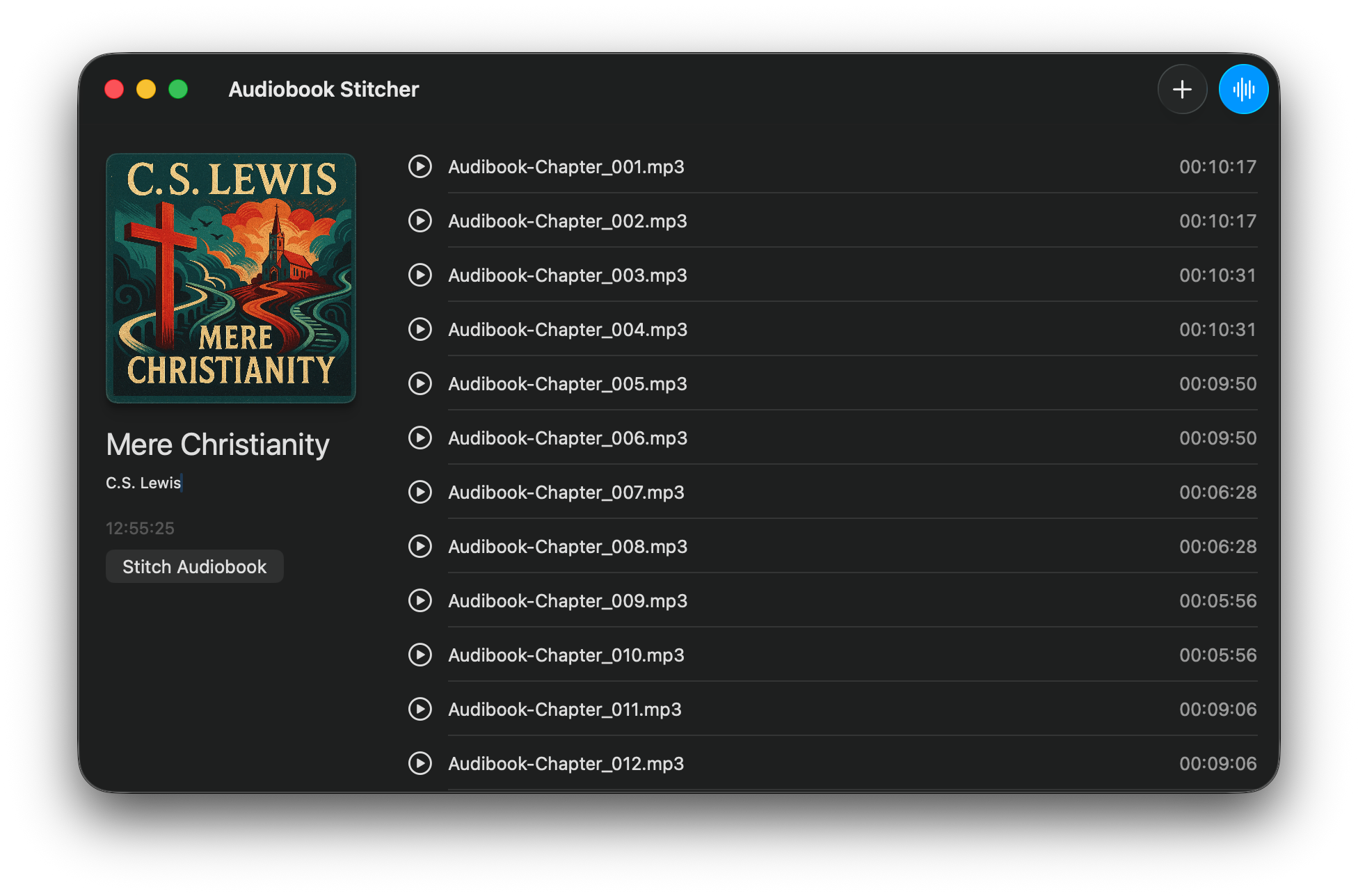
Welcome to Audiobook Stitcher! This app helps you create audiobooks from your audio files.
Audiobook Stitcher combines multiple audio files into a single M4B audiobook with chapters, metadata, and cover art. All processing happens locally on your computer - your files and metadata never leave your device.
Adding Audio Files
There are two ways to add audio files to your project:
- Drag and Drop: Drag audio files directly from Finder into the Audiobook Stitcher window
- Using the Toolbar: Click the ”+” button in the toolbar to open a file picker and select your audio files
Supported audio formats: WAV, MP3, MP4, and AIFF.
Tip: You can add multiple files at once by selecting them all in the file picker or dragging them together.
Editing Metadata
Customize your audiobook’s information:
Title and Author
To edit the audiobook title or author name, simply click on the text in the left sidebar. The text will become editable, allowing you to type in your changes. Press Return or click outside the field to save.
Cover Art
Add a cover image to your audiobook:
- Drag and Drop: Drag an image file onto the cover placeholder
- Double Click: Double-click the cover area to open an image picker
Supported image formats: PNG and JPEG.
Track Names
Each audio file becomes a chapter in your audiobook. To rename a track:
- Select the track in the list
- Press
Returnon your keyboard - Type the new chapter name
- Press
Returnagain to save
Reordering Tracks
Tracks appear as chapters in your audiobook in the order they’re listed. To change the order:
- Click and hold on the track you want to move
- Drag it to the desired position in the list
- Release to drop it in place
The chapter order will update automatically.
Creating Your Audiobook
Once you’ve added your files and configured the metadata, you’re ready to create your audiobook:
Method 1: Using the Button
- Click the “Stitch Audiobook” button in the sidebar or toolbar
- Choose a destination and filename for your audiobook
- Click “Export” to begin
Method 2: Using the Menu
- Go to File > Stitch Audiobook… in the menu bar
- Or press
⌘Eon your keyboard - Choose your destination and click “Export”
The stitching process will combine all your audio files, add chapter markers, embed your metadata and cover art, and create a single M4B audiobook file.
Tip: The export process may take a few minutes depending on the total length of your audiobook and your computer’s speed.
Keyboard Shortcuts
⌘O- Open files⌘E- Stitch audiobookReturn- Rename selected trackDelete- Remove selected tracks
Troubleshooting
The Stitch button is disabled
Make sure you have added at least one audio file to your project. The button will be enabled once files are added.
My cover image isn’t appearing
Ensure your image file is in a supported format (PNG or JPEG). Try using a different image file or converting it to PNG format.
Export is taking a long time
Processing long audiobooks can take time. The progress bar will show you the current status. You can click “Cancel” at any time to stop the export.
Audio files won’t import
Verify that your files are in a supported audio format (WAV, MP3, MP4, or AIFF). If you’re having trouble with a specific file, try converting it to one of these formats first.
Privacy
Audiobook Stitcher processes all files locally on your computer and does not collect or transmit any data. Your files and metadata never leave your device.
Support
For support or feedback, please contact:
Igor Putina Email: igorputina@hey.com
Made with care in Moldova by Igor Putina